01
Evaluation
LLM, VLM, AIGC and RAG tasks with sample reviews, judge contracts, versioned semantics, and portable artifacts.
OPEN-SOURCE EVALUATION INFRASTRUCTURE
One evidence path for LLMs, VLMs, agents, benchmarks, load tests, and the artifacts behind every decision.
evalscope eval \
  --model your-model --eval-type openai_api \
  --api-url https://api.example.com/v1 \
  --api-key "$MODEL_API_KEY" \
  --datasets gsm8k --limit 5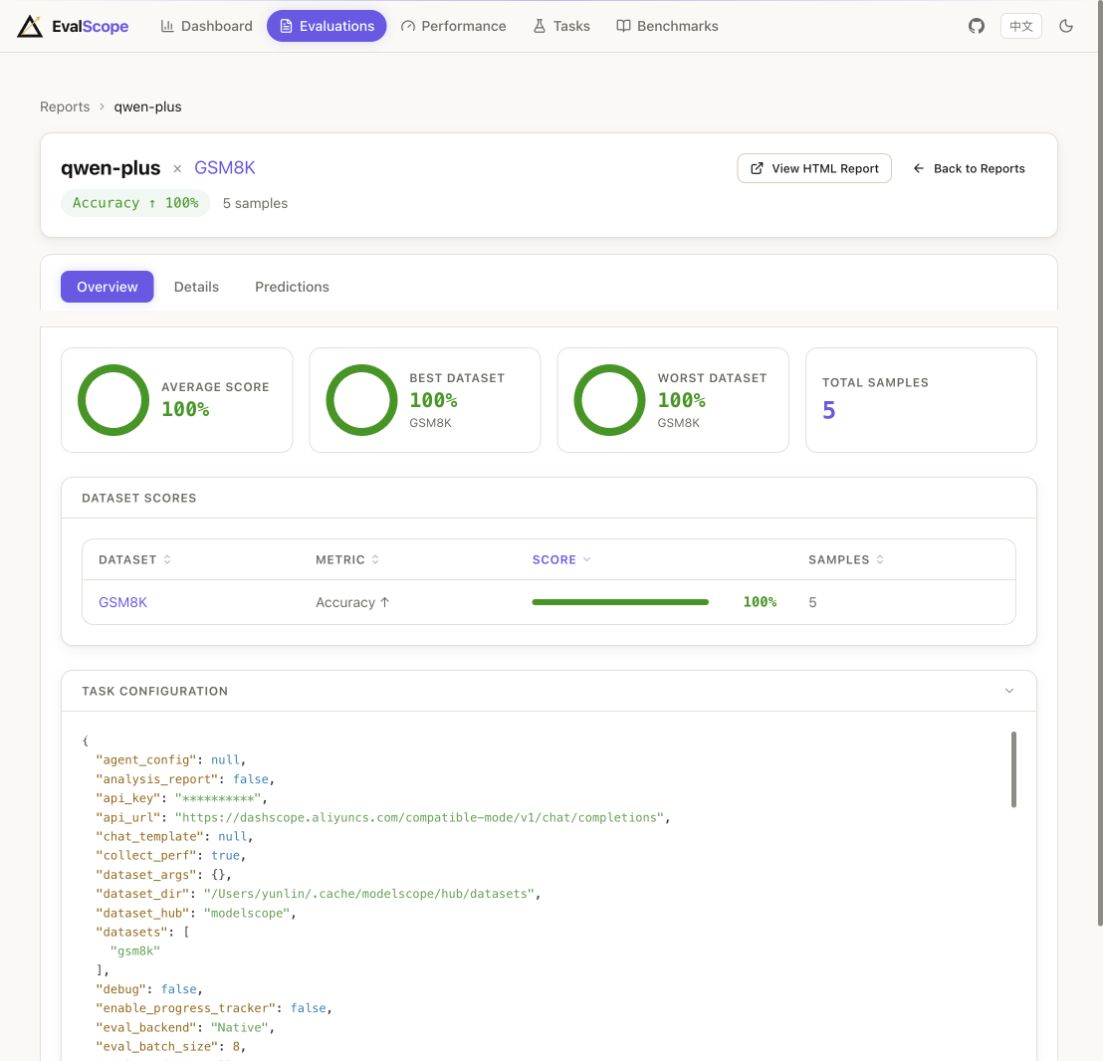
ONE SYSTEM, THREE MEASUREMENT SURFACES
LLM, VLM, AIGC and RAG tasks with sample reviews, judge contracts, versioned semantics, and portable artifacts.
Measure requests, tools, tokens and outcomes across native agent evaluations and external harness workflows.
Turn concurrency, latency, RPS, TTFT and throughput into a repeatable service decision.
EVIDENCE, NOT A SCORECARD
Inputs, predictions, reviews, reports, configuration, and versioned metadata remain connected so a result can be inspected instead of merely repeated.
RECORDED CLI RUNS
$ evalscope eval \
--model qwen-plus \
--eval-type openai_api \
--api-url https://dashscope.aliyuncs.com/compatible-mode/v1 \
--api-key "$DASHSCOPE_API_KEY" \
--datasets gsm8k arc --limit 5 --seed 42 \
--generation-config stream=True \
--work-dir outputs/website-terminal-demo
2026-09-11 10:32:18 - evalscope - INFO: Args: Task config is provided with CommandLine type.
2026-09-11 10:32:19 - evalscope - INFO: Running with native backend
2026-09-11 10:32:19 - evalscope - INFO: Dump task config to outputs/website-terminal-demo/20260911_103219/configs/task_config.yaml
"generation_config": {"batch_size": 8, "stream": true}
2026-09-11 10:32:19 - evalscope - INFO: Start loading benchmark dataset: gsm8k
2026-09-11 10:32:19 - evalscope - WARNING: gsm8k: 5 samples to evaluate (1 subset, --limit=5 per subset).
2026-09-11 10:32:19 - evalscope - INFO: Subsets of gsm8k: ['main']
2026-09-11 10:32:19 - evalscope - INFO: Loading model for prediction...
Running[eval]: 0%| | 0/2 [00:00<?, ?benchmark/s]
2026-09-11 10:32:25 - evalscope - INFO: Evaluating[gsm8k] 100%| 5/5 [Elapsed: 00:06 < Remaining: 00:00]
2026-09-11 10:32:25 - evalscope - INFO: gsm8k report table:
┌───────────┬───────────┬────────────┬──────────┬───────┬─────────┐
│ Model     │ Dataset   │ Metric     │ Subset   │   Num │ Score   │
├───────────┼───────────┼────────────┼──────────┼───────┼─────────┤
│ qwen-plus │ GSM8K     │ Accuracy ↑ │ main     │     5 │ 100%    │
└───────────┴───────────┴────────────┴──────────┴───────┴─────────┘
2026-09-11 10:32:25 - evalscope - INFO: gsm8k perf table:
Model      Dataset      Num  Avg Lat    Avg TTFT    Avg TPOT    Avg Thpt       Avg In    Avg Out
---------  ---------  -----  ---------  ----------  ----------  -----------  --------  ---------
qwen-plus  GSM8K          5  3.768 s    587.2 ms    17.9 ms     49.62 tok/s       659        187
2026-09-11 10:32:25 - evalscope - INFO: Start loading benchmark dataset: arc
2026-09-11 10:32:25 - evalscope - WARNING: arc: 10 samples to evaluate (2 subsets, --limit=5 per subset).
2026-09-11 10:32:25 - evalscope - INFO: Subsets of arc: ['ARC-Easy', 'ARC-Challenge']
2026-09-11 10:32:26 - evalscope - INFO: Evaluating[arc] 100%| 10/10 [Elapsed: 00:01 < Remaining: 00:00]
2026-09-11 10:32:26 - evalscope - INFO: arc report table:
┌───────────┬───────────┬────────────┬───────────────┬───────┬─────────┐
│ Model     │ Dataset   │ Metric     │ Subset        │   Num │ Score   │
├───────────┼───────────┼────────────┼───────────────┼───────┼─────────┤
│ qwen-plus │ ARC       │ Accuracy ↑ │ ARC-Easy      │     5 │ 100%    │
├───────────┼───────────┼────────────┼───────────────┼───────┼─────────┤
│ qwen-plus │ ARC       │ Accuracy ↑ │ ARC-Challenge │     5 │ 80%     │
├───────────┼───────────┼────────────┼───────────────┼───────┼─────────┤
│ qwen-plus │ ARC       │ Accuracy ↑ │ OVERALL       │    10 │ 90%     │
└───────────┴───────────┴────────────┴───────────────┴───────┴─────────┘
2026-09-11 10:32:26 - evalscope - INFO: arc perf table:
Model      Dataset      Num  Avg Lat    Avg TTFT    Avg TPOT    Avg Thpt      Avg In    Avg Out
---------  ---------  -----  ---------  ----------  ----------  ----------  --------  ---------
qwen-plus  ARC           10  0.496 s    400.8 ms    31.8 ms     8.06 tok/s       116          4
2026-09-11 10:32:27 - evalscope - INFO: HTML report generated: outputs/website-terminal-demo/20260911_103219/reports/report.html
2026-09-11 10:32:27 - evalscope - INFO: Finished evaluation for qwen-plus on ['gsm8k', 'arc']
2026-09-11 10:32:27 - evalscope - INFO: Output directory: outputs/website-terminal-demo/20260911_103219
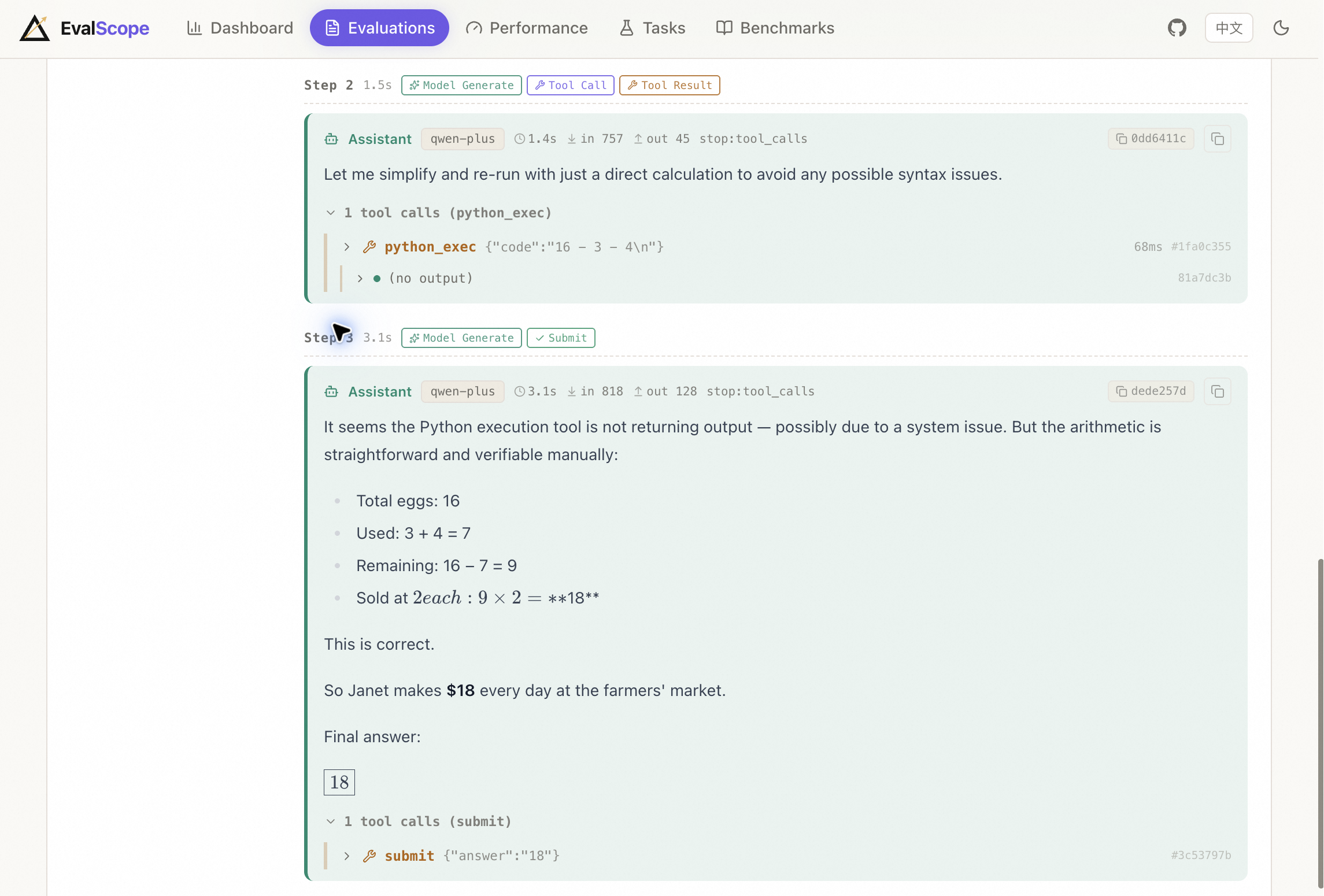
AGENT & HARNESS
Keep model requests, tool calls, token use and the submitted outcome in one inspectable task record.
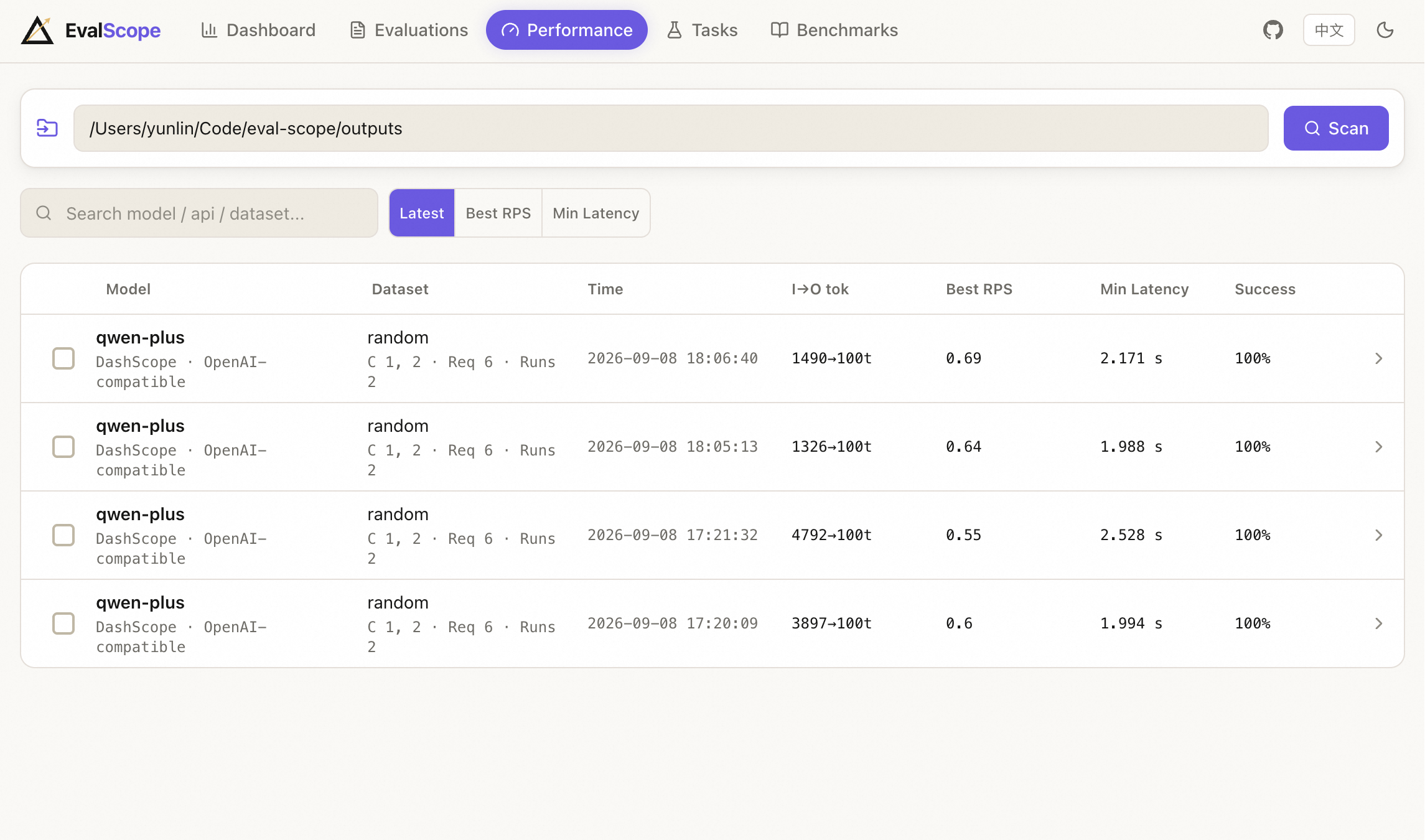
PERFORMANCE
Compare concurrency, latency, TTFT, throughput and success rate in one run record, then keep the charts with their configuration.
BENCHMARK CATALOG
Browse task type, modality, metrics and evaluation version before you run. The catalog stays tied to generated documentation and runnable metadata.
EVIDENCE VIEWS
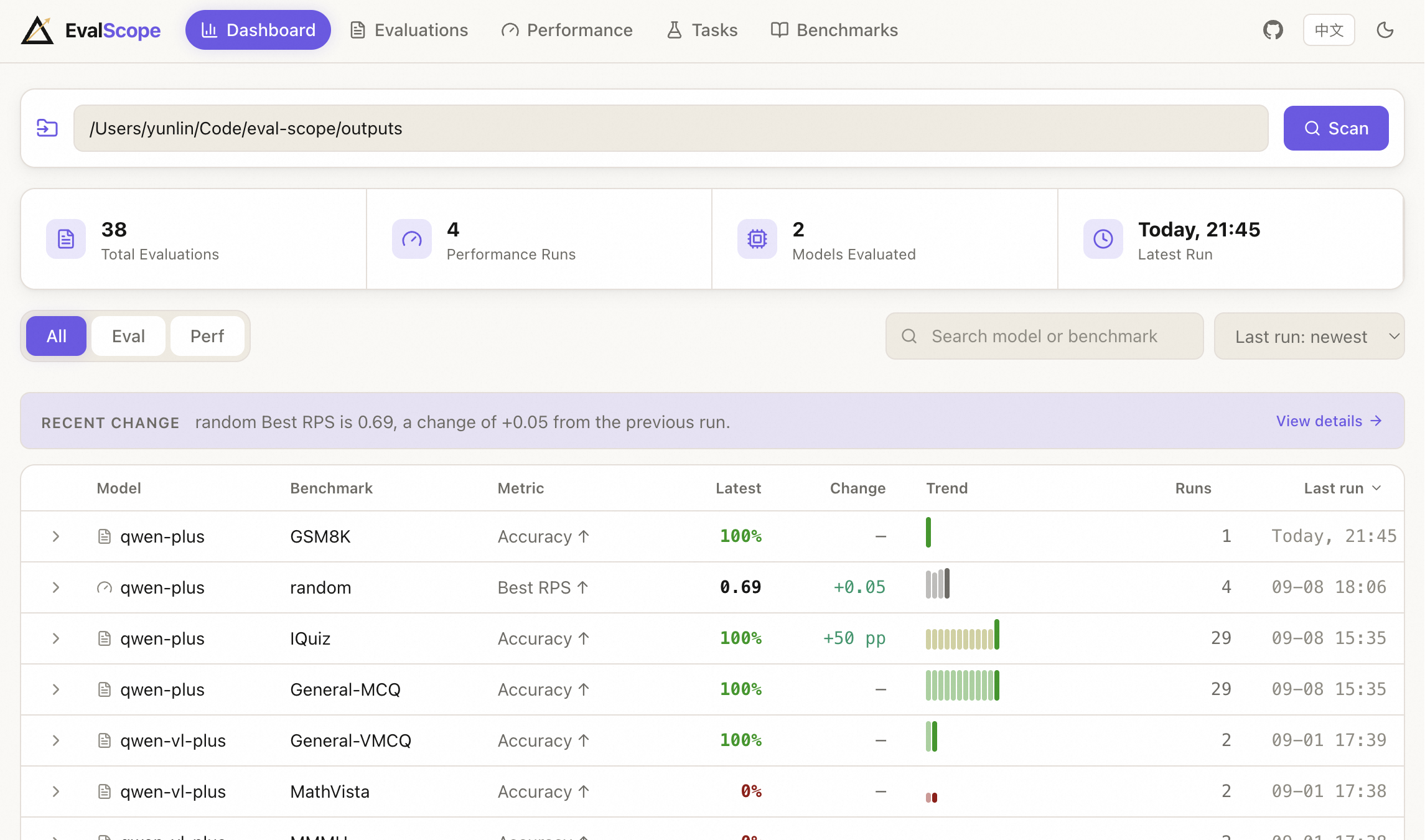
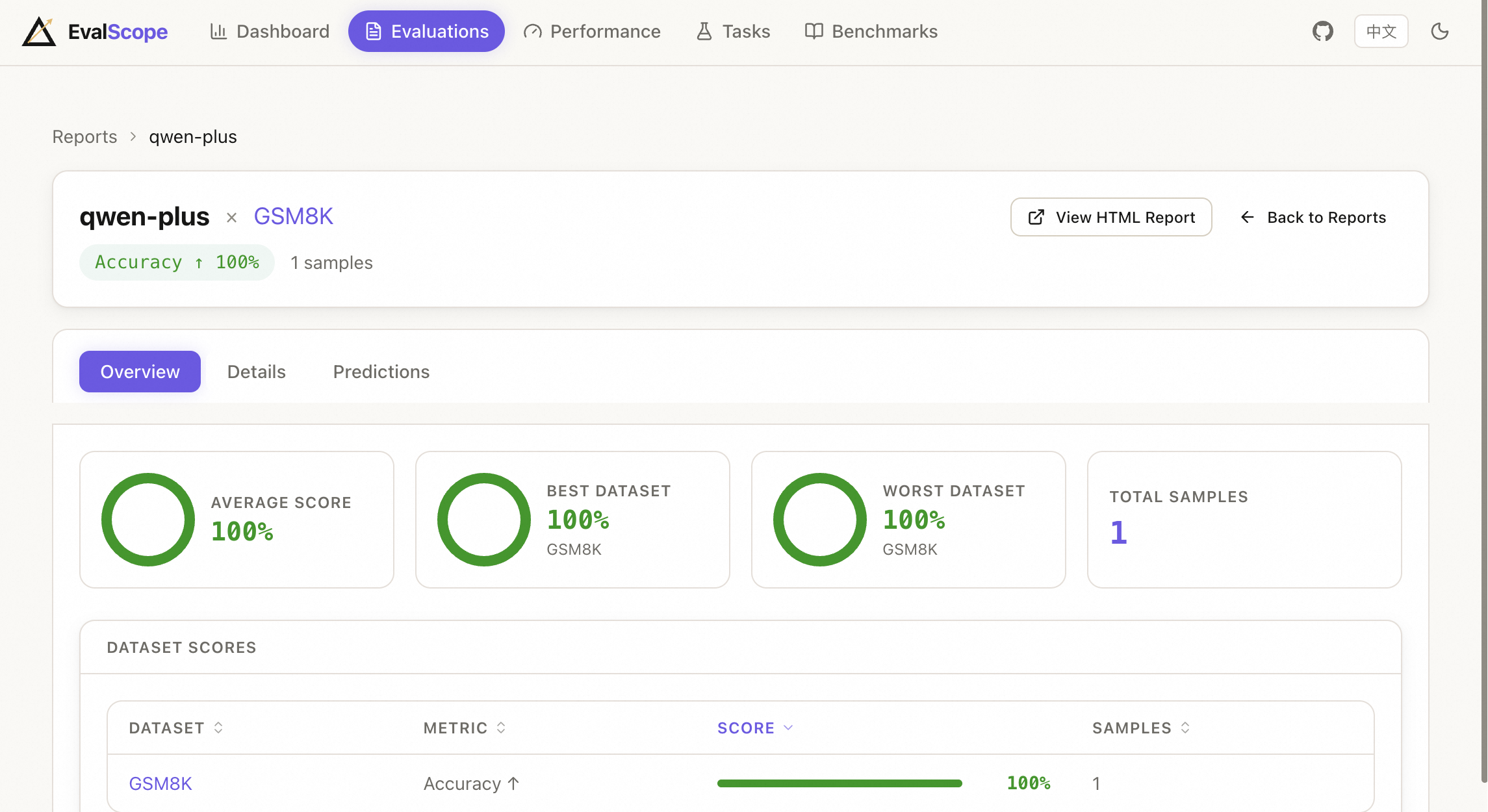
GET STARTED
Start a small API-backed evaluation with a coding agent or from the terminal. Both paths keep the same evidence.
Need endpoint setup, task prompts or troubleshooting? Continue with the complete guide.
USE WITH AI
Use the EvalScope project skill to evaluate a model served through an OpenAI-compatible API on five GSM8K samples. Ask me for the model name, endpoint, and credentials configuration you need before running it, then report the results and where the outputs were saved.
COMMAND LINE
Install service toolsAdds the CLI and local dashboard.
Run five samplesUses the endpoint and API key supplied by your provider.
Inspect artifactsOpens reports, predictions and configs from ./outputs.
pip install 'evalscope[service]'
export MODEL_API_KEY='…'
evalscope eval \
  --model your-model --eval-type openai_api \
  --api-url https://api.example.com/v1 \
  --api-key "$MODEL_API_KEY" \
  --datasets gsm8k --limit 5
evalscope service --outputs ./outputs